
Copy and paste objects, materials and assets between multiple running 3ds Max sessions with a single click.
# CopyTo PRO
CopyTo PRO is a productivity tool that lets you quickly copy and transfer data between multiple running instances of Autodesk 3ds Max.
Instead of saving temporary files, exporting objects, or merging scenes, CopyTo PRO allows you to move assets with just a few clicks.
Transfer Between 3ds Max Sessions
CopyTo PRO makes it easy to exchange data between multiple open 3ds Max windows.
Supported data includes:
- Objects
- Groups
- Materials
- Layers
- Cameras
- Lights
- Helpers
- Selection sets
Simply copy in one scene and paste into another.
One-Click Workflow
The tool integrates directly into 3ds Max and provides fast access through:
- Toolbar buttons
- Quad Menu
- Keyboard shortcuts
- Context menus
No manual exporting or temporary files are required.
Net Buffer Pool
Licensed users can use Net Buffer Pool, allowing data to be shared across multiple computers on the same network.
This is especially useful for:
- Studio environments
- Multiple workstations
- Team collaboration
- Render and asset preparation
When another workstation copies data, CopyTo PRO can display who sent it, making collaborative workflows much easier.
Designed for Production
CopyTo PRO helps reduce repetitive operations performed every day by artists.
Typical use cases include:
- Moving assets between projects
- Reusing scene elements
- Building large scenes from multiple sources
- Preparing production files
- Sharing content with teammates
Developer
CopyTo PRO is developed by 3DGROUND, a developer of professional tools and utilities for Autodesk 3ds Max.
3DGROUND tools are built around real production workflows and help automate repetitive tasks, improve productivity, and simplify everyday work inside 3ds Max.
Developer: 3DGROUND Website: https://3dground.net
What Does the License Include?
CopyTo PRO can be used with its core functionality.
Purchasing a license unlocks additional benefits:
- Net Buffer Pool for sharing copied data across multiple computers.
- Lifetime updates with all future improvements and fixes.
- Priority support directly from the developer.
- Additional licensed features available only to registered users.
- Use on up to 2 computers with a single license.
The license is a one-time purchase with no subscriptions or recurring payments.
Choose how to install
Use the guided installer for the best experience, or install the MZP manually if you only need this package.
Drag from this page into 3ds Max
Click Install, then drag the package block into the 3ds Max viewport. This installs CopyTo Pro and MaxPkg Manager with the toolbar and in-app package search.
If drag and drop does not work, download the Installer from the modal and run it with Scripting → Run Script.
Install MaxPkg Manager manually
Download the Runtime ZIP, unzip it, run install.ms, then use the new toolbar to open MaxPkg Manager and find this package.
Download MaxPkg ManagerInstall from MaxPkg Manager
Open MaxPkg Manager, search for this package, and install it there. You can also run this command in the 3ds Max listener:
maxpkg.install "copyto-pro"Download only this package
Use Download MZP manually, then run the downloaded .mzp through Scripting → Run Script. This installs only the package, not MaxPkg Manager.
After manual install, find the actions in Customize → Customize User Interface → Category: MaxPkg.
Related scripts
More tools for this workflow
Prune Scene
Prune Scene is a cleanup, protection, and maintenance tool for Autodesk 3ds Max. It helps artists and studios detect and remove common scene problems, clean unwanted data, protect files from known 3ds Max script viruses, and keep production scenes safer and easier to manage. Prun
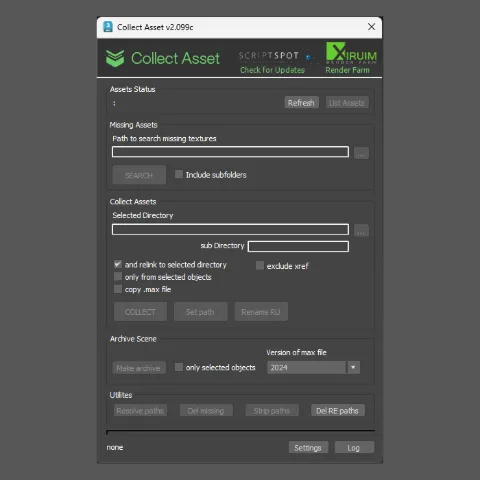
Collect Asset
Prepare, clean, rename and package 3ds Max models for sharing, publishing or uploading to 3D marketplaces.
Model Packer
Prepare, clean, rename and package 3ds Max models for sharing, publishing or uploading to 3D marketplaces.
2PointScale
2PointScale is an intuitive script for Autodesk 3ds Max that allows you to instantly and accurately scale any 3D object, blueprint, or reference plane using just two points. No more calculating scale factors manually: simply specify the real-world distance of a segment, and the u