
2PointScale is an intuitive script for Autodesk 3ds Max that allows you to instantly and accurately scale any 3D object, blueprint, or reference plane using just two points. No more calculating scale factors manually: simply specify the real-world distance of a segment, and the u
2PointScale is an intuitive script for Autodesk 3ds Max that allows you to instantly and accurately scale any 3D object, blueprint, or reference plane using just two points. No more calculating scale factors manually: simply specify the real-world distance of a segment, and the u
Choose how to install
Use the guided installer for the best experience, or install the MZP manually if you only need this package.
Drag from this page into 3ds Max
Click Install, then drag the package block into the 3ds Max viewport. This installs 2PointScale and MaxPkg Manager with the toolbar and in-app package search.
If drag and drop does not work, download the Installer from the modal and run it with Scripting → Run Script.
Install MaxPkg Manager manually
Download the Runtime ZIP, unzip it, run install.ms, then use the new toolbar to open MaxPkg Manager and find this package.
Download MaxPkg ManagerInstall from MaxPkg Manager
Open MaxPkg Manager, search for this package, and install it there. You can also run this command in the 3ds Max listener:
maxpkg.install "2pointscale"Download only this package
Use Download MZP manually, then run the downloaded .mzp through Scripting → Run Script. This installs only the package, not MaxPkg Manager.
After manual install, find the actions in Customize → Customize User Interface → Category: MaxPkg.
Related scripts
More tools for this workflow
Prune Scene
Prune Scene is a cleanup, protection, and maintenance tool for Autodesk 3ds Max. It helps artists and studios detect and remove common scene problems, clean unwanted data, protect files from known 3ds Max script viruses, and keep production scenes safer and easier to manage. Prun
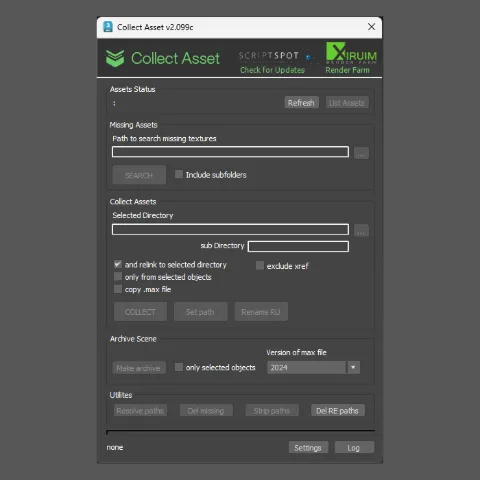
Collect Asset
Prepare, clean, rename and package 3ds Max models for sharing, publishing or uploading to 3D marketplaces.
CopyTo Pro
Copy and paste objects, materials and assets between multiple running 3ds Max sessions with a single click.
Model Packer
Prepare, clean, rename and package 3ds Max models for sharing, publishing or uploading to 3D marketplaces.